Skip to content

Free tools you can use right here

Choose a tool for the result you need. Processing and external lookup conditions differ by tool; check the instructions on its page.

All tools 28 tools
CreateQR code generatorLink, text or Wi-Fi to QR.ImageImage compressorCompress, resize and convert photos.PDFJPG to PDFCombine photos into one PDF.PDFMerge PDFCombine PDFs in your chosen order.CalculateKorean unit converterConvert Korean units and shoe sizes.CalculateTime zone converterCompare city times for meetings.CalculateSupplement label readerRead supplement label amounts.CalculateISBN edition lookupCompare catalogue edition details.PDFBooklet print checkerCheck sheets and page pairs.CalculateYarn comparison and ball calculator (beta)Compare 3 DROPS yarns; count extra balls.CalculateNewShoe size converterCompare KR, CN, US and EU sizes by foot lengthImageNewCurioflip Image ConverterChange image formats on your deviceCalculateNewCurvilo Graphing CalculatorPlot functions and explore coordinatesImageNewMasklume Background RemoverCut out people and objects on your deviceCreateNewColor palette generatorFive colors, locks and text contrast ratios.CalculateNewTimer and stopwatchCount down, pause and record elapsed laps.CreateNewRandom picker and integer generatorDraw unique entries or integers in the browser.CalculateMultilingual character counterCount characters, words and encoding bytes.CalculateDate calculator & D-day countdownCount days between dates, add business days, plan a 100-day anniversary, and watch a live countdown. All calculations stay in this browser.Compress PDFReduces supported RGB JPEG images. Keeps original bytes if the result grows; savings vary by document.PDF to JPGRenders each PDF page as JPG. Searchable text becomes part of the image.Add PDF page numbersAdds numbers at the bottom of visible pages. Existing numbers are retained.Add a text watermark to PDFAdds the text as an image, including Korean and Chinese. It does not securely redact content or prevent copying.PDF to image slide PPTXCreates a PPTX with one JPG image per PDF page. Text and shapes are not individually editable.Extract PDF text to DOCXSaves extractable text in DOCX. Original layout, tables and images are not restored; scanned PDF OCR is not supported.Split PDF by page rangesSplits the current page order by ranges or every N pages. Multiple results download as a ZIP.Text cleanerRemove duplicate lines, tidy spaces and repair line breaks. Preview the result before copying.Percentage calculatorCalculate percentages, discounts and percentage changes, or recover an original value.

Want a tool Sitecurio don’t have yet? Send a suggestion through the contact link at the bottom of the site. The most requested tools are built first.

Share this page

Choose the tool by the result you need

Start with the deliverable, not the filename extension. A set of photographs that needs to become a single attachment belongs in images to PDF. Two existing PDFs that need one reading sequence belong in PDF merge. A photograph that exceeds a website’s pixel limit belongs in the image resizer. These operations solve different problems, and running every file through all three can introduce unnecessary changes.

Documents: assembly and printing are separate steps

PDF merge copies the pages from the selected files into a new document in list order. A two-page source followed by a three-page source produces five pages. Reordering the files changes the reading sequence without changing that total. It does not create searchable text from a scan, remove passwords or certify document signatures.

Images to PDF turns selected images into pages. Pick a paper size and inspect the margins before sending the result. In image-fit mode, a 1200 × 800 image receives a 900 × 600 point page because the implementation uses 0.75 PDF points per pixel. That is a placement rule, not a measurement of the original camera’s print resolution.

Booklet planning is for the next stage: estimating paper and page pairs. The same planner used by the page calculates that 10 pages need 12 positions, including 2 blanks, and 3 sheets per copy. For 3 copies, the total is 9 sheets. It produces a plan rather than a rearranged PDF. A single folded test sheet remains necessary.

Images, identifiers and everyday references

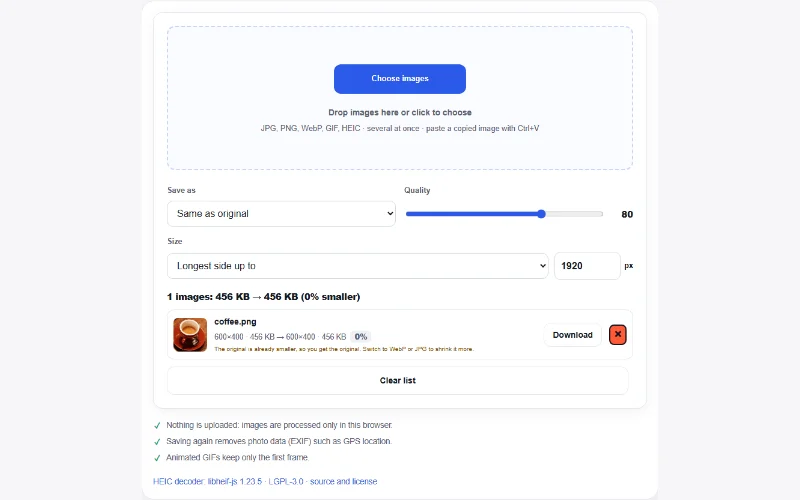
Image compression and resizing can reduce pixel dimensions and encode supported output formats. Setting a 2400 × 1600 image to a 1200-pixel long edge produces 1200 × 800 pixels. The byte size cannot be predicted from that ratio: image detail, output format and browser encoder matter. Inspect text and edges after saving.

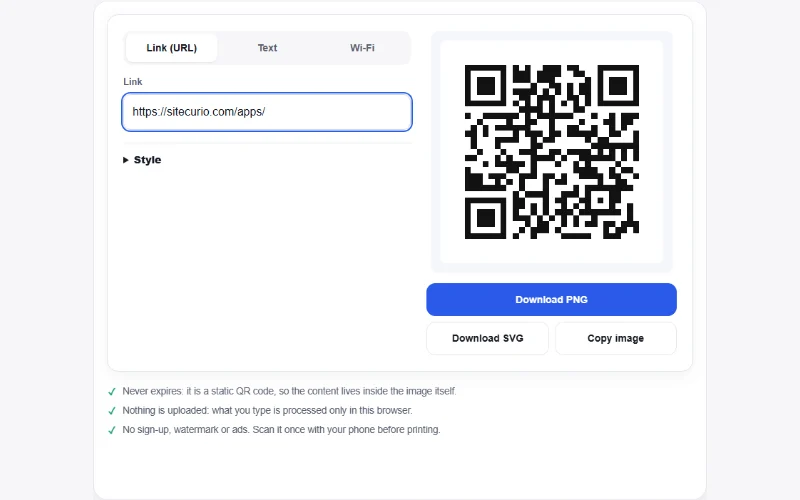
ISBN edition comparison retrieves public book records to help compare language, publisher and pagination. It uses a server request to Open Library. In contrast, PDF assembly, image processing and booklet arithmetic run in the browser. The unit, time-zone and QR tools serve other tasks; read their own input notes before using their results in a submission or printed notice.

Questions about choosing and checking a tool

Does every tool work without a network connection?

No. Pages and assets must load, and ISBN lookup requires a provider connection. Browser-local processing describes where selected files or calculations are handled, not a guarantee that the whole website is offline.

Which result should be checked first?

Check the property that matters to the recipient: page order for a merged PDF, pixel dimensions for an image or folded orientation for a booklet. Then check readability and the final filename.

Can these tools replace professional preflight?

No. Signature preservation, archival requirements, accessibility certification and commercial print production need suitable specialist validation.

What helps report a problem?

Send the tool URL, browser version, settings and a non-sensitive reproducible example through Contact. Keep original files and describe the expected result separately from what appeared.